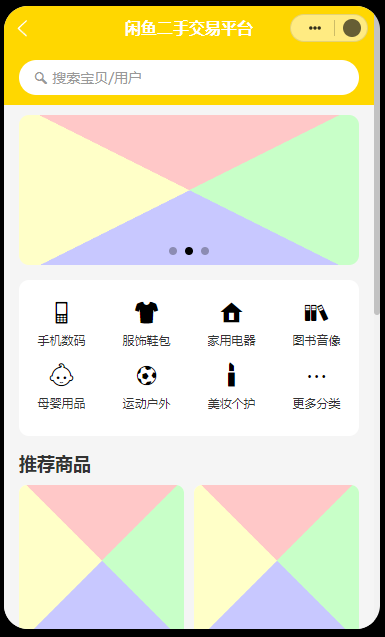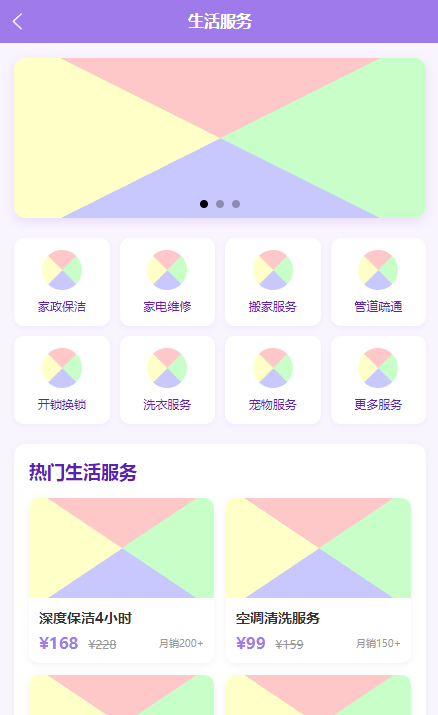
创建一个美观的HTML搜索模块。
<!DOCTYPE html>
<html lang="zh">
<head>
    <meta charset="UTF-8">
    <meta name="viewport" content="width=device-width, initial-scale=1.0">
    <title>漂亮的搜索模块</title>
    <style>
        * {
            margin: 0;
            padding: 0;
            box-sizing: border-box;
            font-family: 'PingFang SC', 'Microsoft YaHei', sans-serif;
        }

        body {
            display: flex;
            justify-content: center;
            align-items: center;
            min-height: 100vh;
            background: linear-gradient(135deg, #f5f7fa 0%, #c3cfe2 100%);
        }

        .search-container {
            width: 100%;
            max-width: 600px;
            padding: 40px;
            background-color: white;
            border-radius: 16px;
            box-shadow: 0 10px 30px rgba(0, 0, 0, 0.1);
            text-align: center;
        }

        .search-title {
            margin-bottom: 20px;
            color: #333;
            font-size: 24px;
            font-weight: 500;
        }

        .search-form {
            position: relative;
            margin-bottom: 20px;
        }

        .search-input {
            width: 100%;
            padding: 16px 20px;
            padding-right: 50px;
            border: 2px solid #eaeaea;
            border-radius: 30px;
            font-size: 16px;
            color: #333;
            transition: all 0.3s ease;
            outline: none;
        }

        .search-input:focus {
            border-color: #4e7fff;
            box-shadow: 0 0 0 3px rgba(78, 127, 255, 0.2);
        }

        .search-button {
            position: absolute;
            right: 5px;
            top: 5px;
            width: 45px;
            height: 45px;
            border: none;
            border-radius: 50%;
            background-color: #4e7fff;
            color: white;
            cursor: pointer;
            display: flex;
            justify-content: center;
            align-items: center;
            transition: all 0.3s ease;
        }

        .search-button:hover {
            background-color: #3a6eff;
            transform: scale(1.05);
        }

        .search-icon {
            width: 20px;
            height: 20px;
        }

        .search-suggestions {
            display: flex;
            flex-wrap: wrap;
            justify-content: center;
            gap: 10px;
        }

        .suggestion-tag {
            padding: 8px 16px;
            background-color: #f0f5ff;
            color: #4e7fff;
            border-radius: 20px;
            font-size: 14px;
            cursor: pointer;
            transition: all 0.2s ease;
        }

        .suggestion-tag:hover {
            background-color: #4e7fff;
            color: white;
        }

        @media (max-width: 768px) {
            .search-container {
                max-width: 90%;
                padding: 30px 20px;
            }
        }
    </style>
</head>
<body>
    <div class="search-container">
        <h1 class="search-title">搜索您需要的内容</h1>
        <form class="search-form">
            <input type="text" class="search-input" placeholder="请输入关键词..." autocomplete="off">
            <button type="submit" class="search-button">
                <svg class="search-icon" viewBox="0 0 24 24" fill="none" stroke="currentColor" stroke-width="2.5" stroke-linecap="round" stroke-linejoin="round">
                    <circle cx="11" cy="11" r="8"></circle>
                    <line x1="21" y1="21" x2="16.65" y2="16.65"></line>
                </svg>
            </button>
        </form>
        <div class="search-suggestions">
            <div class="suggestion-tag">热门推荐</div>
            <div class="suggestion-tag">最新资讯</div>
            <div class="suggestion-tag">技术文档</div>
            <div class="suggestion-tag">用户指南</div>
            <div class="suggestion-tag">常见问题</div>
        </div>
    </div>

    <script>
        // 添加搜索建议功能
        const searchInput = document.querySelector('.search-input');
        const suggestionTags = document.querySelectorAll('.suggestion-tag');

        suggestionTags.forEach(tag => {
            tag.addEventListener('click', () => {
                searchInput.value = tag.textContent;
                searchInput.focus();
            });
        });

        // 表单提交事件
        document.querySelector('.search-form').addEventListener('submit', function(e) {
            e.preventDefault();
            alert('您搜索了: ' + searchInput.value);
            // 这里可以替换为真正的搜索逻辑
        });
    </script>
</body>
</html>
这个搜索模块具有以下特点:
- 美观的设计 - 使用了圆角、阴影和渐变色,让整个模块看起来现代而精致
- 响应式布局 - 适配各种屏幕尺寸
- 动画效果 - 包括按钮悬停时的放大效果和颜色变化
交互功能:
- 点击搜索标签会自动填充到搜索框
- 表单提交时会显示搜索内容
- 搜索框获得焦点时有高亮效果
如果您想进一步定制这个搜索模块,我可以帮您:
- 更改配色方案
- 添加更多动画效果
- 增加搜索历史功能
- 添加自动完成建议列表
- 集成到特定的网站或应用中
需支付 5元 阅读剩余内容